5
manuals
Manuals and documents
View any document right in your browser, or download the PDF.
PDF
Quick Guide
Most used
PDF
Quick Guide
PDF
User Manual
PDF
User Manual
PDF
User Manual
Specifications
Design
ColorBlack
Camera TypeInterchangeable Lens
Image sensor
Effective Pixel14.6 MP
Image Sensor TypeAPS-C Size Samsung CMOS
Lens
Type18-55mm OIS Lens
Optical Zoom3.1x Equivalent (with included lens)
MountSamsung NX Mount
Included LensSamsung Lenses for Samsung NX Mount
Shutter Speed
RangeAuto:1/4000sec. ~ 30sec.
Exposure
Compensation+/- 3 EV (1/2EV, 1/3EV step)
ControlAEL Button
ISO EquivalentAuto, 100, 200, 400, 800, 1600, 3200
Metering SystemMetering:Multi, Center-weighted, Spot Metering range:EV0-18 (ISO100•30mm F2.0)
Focusing
ModesSingle AF, Continuous AF, MF
Shooting
Drive ModesSmart Auto, Program, Shutter Priority AE, Aperture Priority AE, Manual, Night, Portrait, Landscape, Scene, Movie
RAW format shootingSRW
Full Manual ControlsYes
Display
Field of ViewApprox. 100%
Main LCD Screen3" AMOLED Display
Video
HD Movie720p HD
Flash
ModesSmart Flash, Auto, Auto + Red-eye reduction, Fill-in, Fill-in + Red-eye reduction, 1st Curtain, 2nd Curtain, OFF
Sync. SpeedLess than 1/180sec.
Smart Settings
Smart AutoYes
Picture Effects
Picture WizardYes
Photo Style SelectorSoft, Vivid, Forest, Autumn, Misty, Gloomy, Classic
White Balance
ModesAuto, Daylight, Cloudy, Fluorescent (W,N,D), Tungsten, Flash, Custom, K (Manual)
Storage
File FormatRAW (SRW), JPEG (EXIF 2.21), DCF, DPOF 1.1, PictBridge 1.0
Image Playback
EditingRed eye fix, Back light comp., Photo Style Selector, Resize, Rotate, Face Retouch
Inputs & Outputs
AV OutNTSC, PAL
HDMI1.3
USB 2.0Yes
Dimensions
Product Size (WxHxD)4.84" x 3.42" x 1.57"
Weight
Product without battery and card0.77 lb.
Power
DC power inputDC 9.0V, 1.5A (100-240V)
Power SourceRechargeable battery:BP1310 (1300mAh),Charger: BC1310,AC Adaptor:AD9NX01
Operating Conditions
Humidity5-85%
Temperature32-104° F
About this product
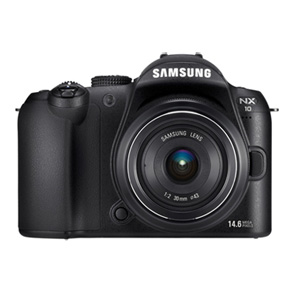
This page collects every official document Samsung publishes for the NX10 (EV-NX10ZZBABUS) — so you can install, troubleshoot, or check warranty terms without hunting through a drawer.